Notification Center
The Notification center is an in-app surface accessed through the bell icon in the top-right corner of the Home screen. It serves as a persistent hub where users can view recent notifications in one place.
Notification Center
The Notification Center stores recent notifications in a single in-app location, including benefit updates, reminders, and offer messages. Instead of relying only on a one-time Push Notification, users can return here to review anything they may have missed.
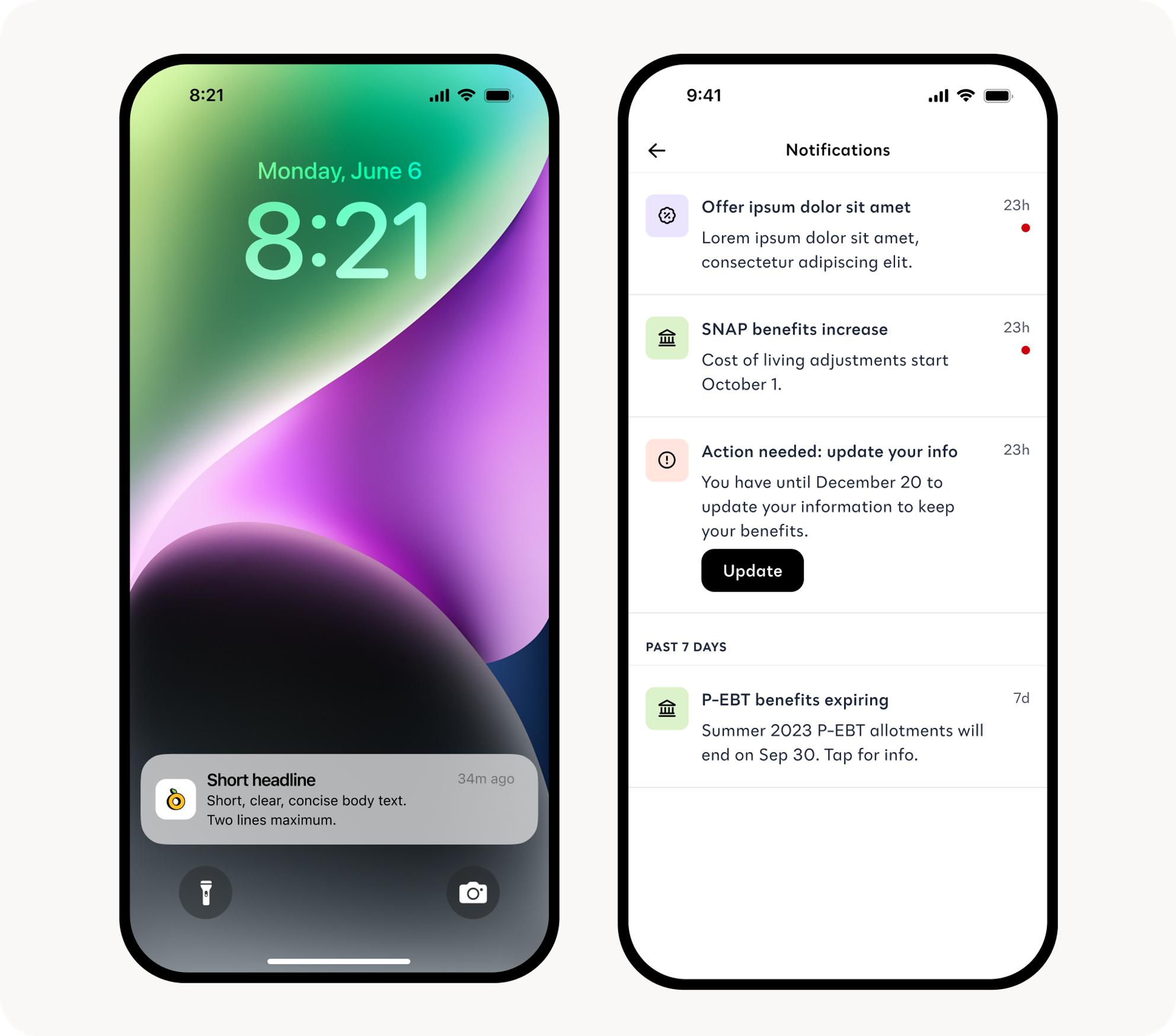
| Section | Constraints |
|---|---|
| Short Headline | Must be <30 characters across a single line |
| Push Notification | Must be <100 characters |
| Notification Center Card | Must be <100 characters; no more than 2 lines |
Landing Pages
When a user taps a message in the Notification Center, they’re taken to a Landing Page with more information about the notification.
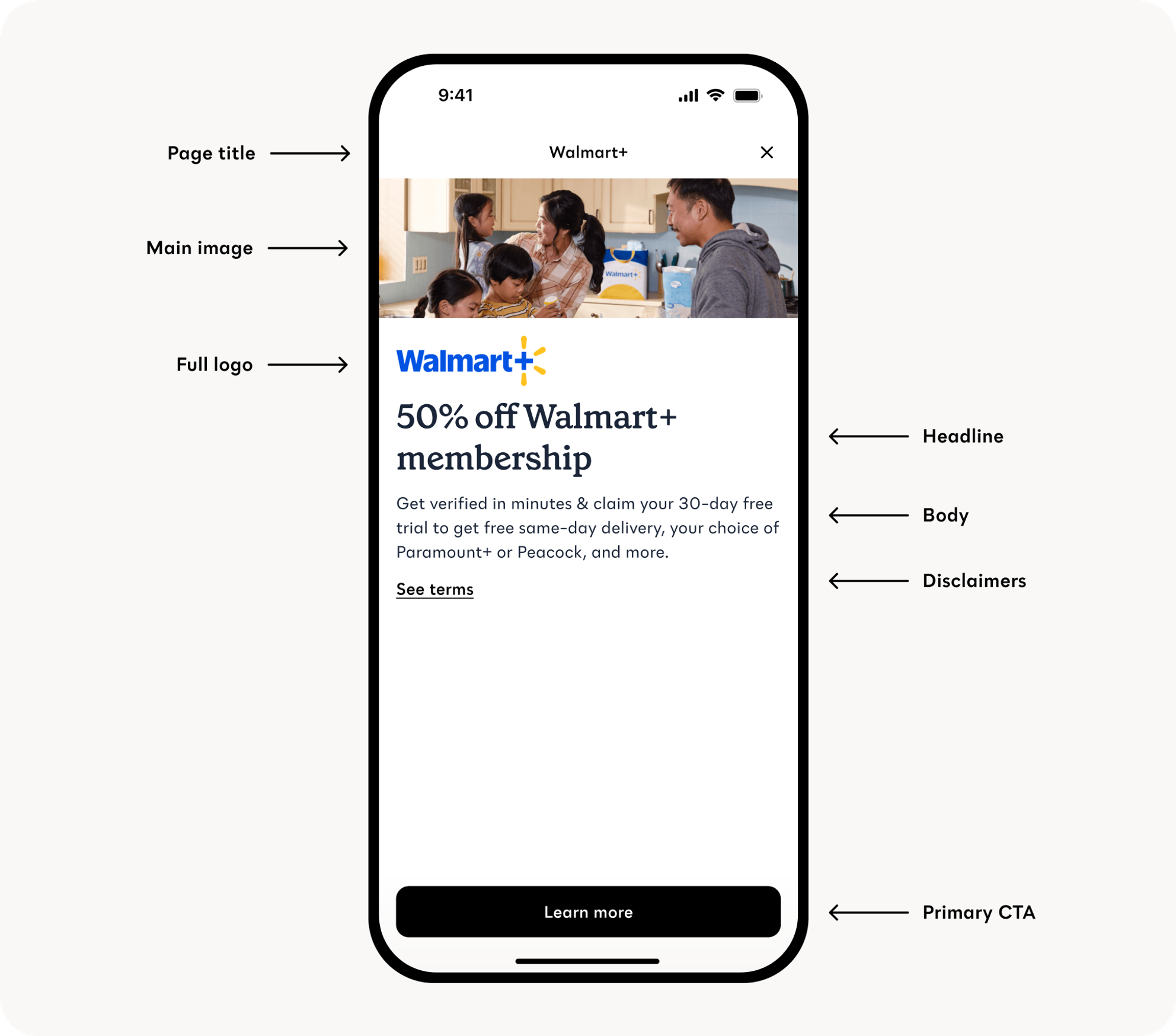
| Section | Constraints |
|---|---|
| Page Title | Partner/Product name. This cannot be changed. |
| Main Image | Image size: 900 x 300. Image cannot have text in it. |
| Headline | Character limit: 50, including spacing. Note: no periods in header copy. |
| Body | Character limit: 130, including spacing. Note: include punctuation in body copy. |
| Full Logo | Image size: 315 x 102 |
| CTA | 1-2 word max. I.e. Learn more, Apply now, Get started. |
| CTA Link | UTM link for tracking |
Landing Pages provide a focused, self-contained explanation of the update or offer, along with a primary button that directs users to the relevant website or partner experience.
Users turn to the Notification Center when they want to confirm details, revisit an offer, or follow up on something they saw earlier but didn’t have time to act on.
For partners, the Notification Center extends the visibility and lifespan of campaigns that use Push Notifications.
If you're shaping a campaign that includes Push, your Customer Success Manager can recommend how to pair those messages with Landing Pages to maximize performance.