Display Ads
Display Ads appear across key surfaces within Propel as entry points into partner offers. Your Customer Success Manager can help you choose the right format mix for your business objectives.
Preview Cards
Preview Cards are compact, efficient placements that feature your brand’s logo, name, and a short description of your offer. They’re designed for quick scanning and perform well when a concise introduction is enough to spark interest.
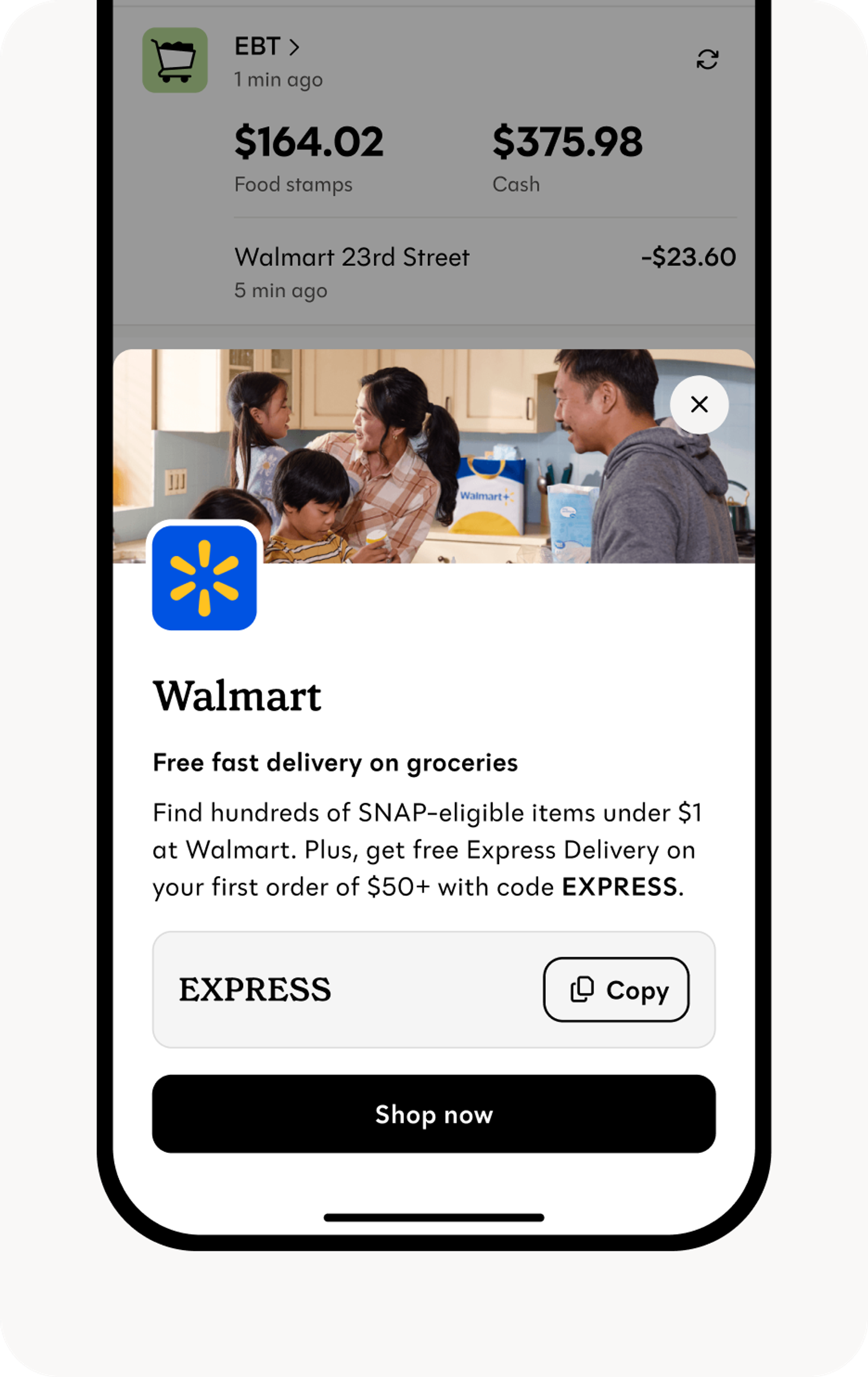
When a user taps a Preview Card, a dedicated Ad Detail Page opens with additional context, a larger brand image, and a primary button that leads into your landing page or funnel.
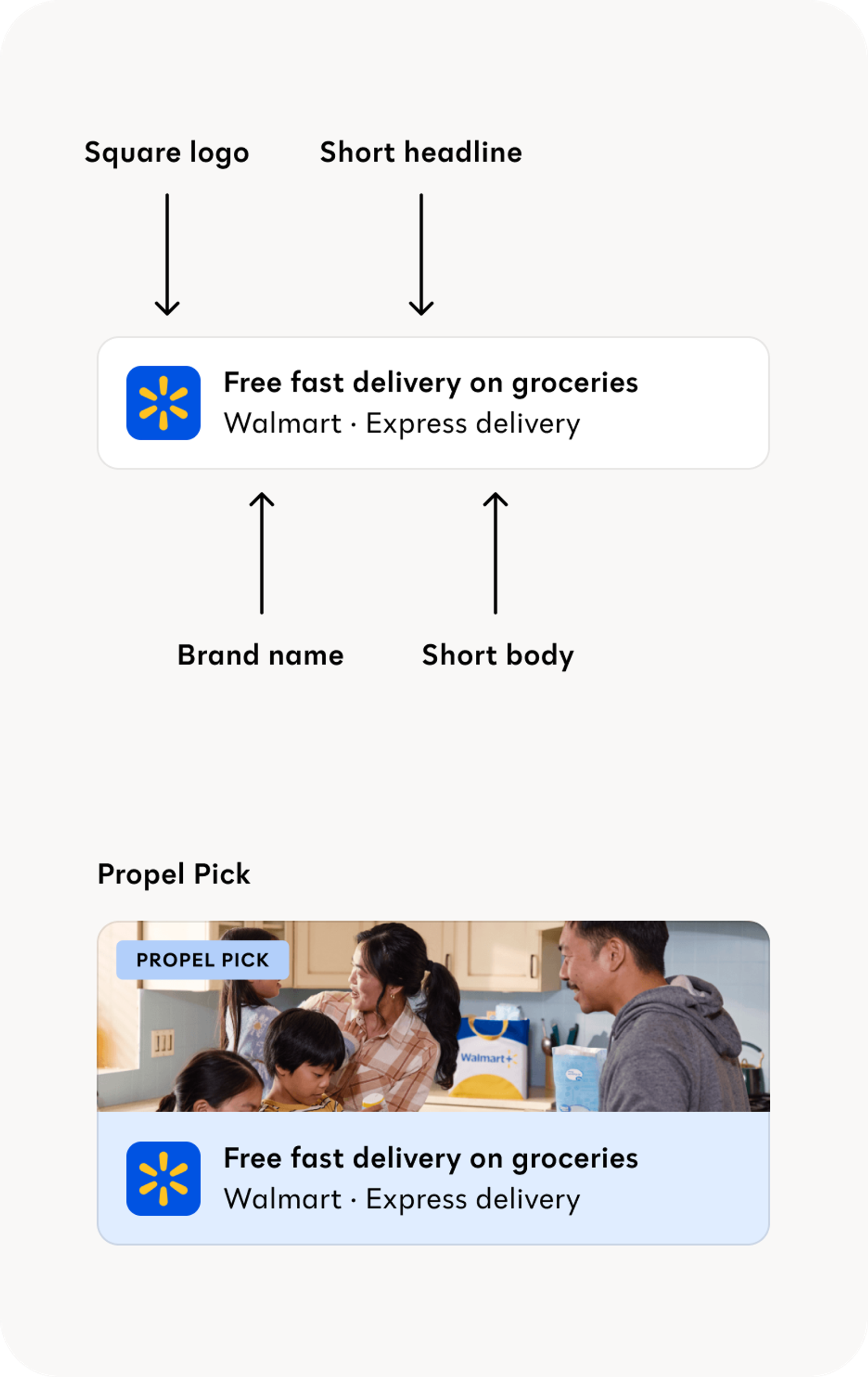
| Section | Constraints |
|---|---|
| Short Headline | Character limit: 45 , including spacing. Note: no periods in header copy |
| Short Body | Character limit: 25 , including spacing |
| Brand Name | Name of product or service |
| Square Logo | A square version of your logo. Image size: 400x400 px |
Full Cards
Full Cards are larger placements featuring your brand name, offer details, and call-to-action button. They work well when offers need additional context like savings amounts, eligibility requirements, or time-sensitive messaging.
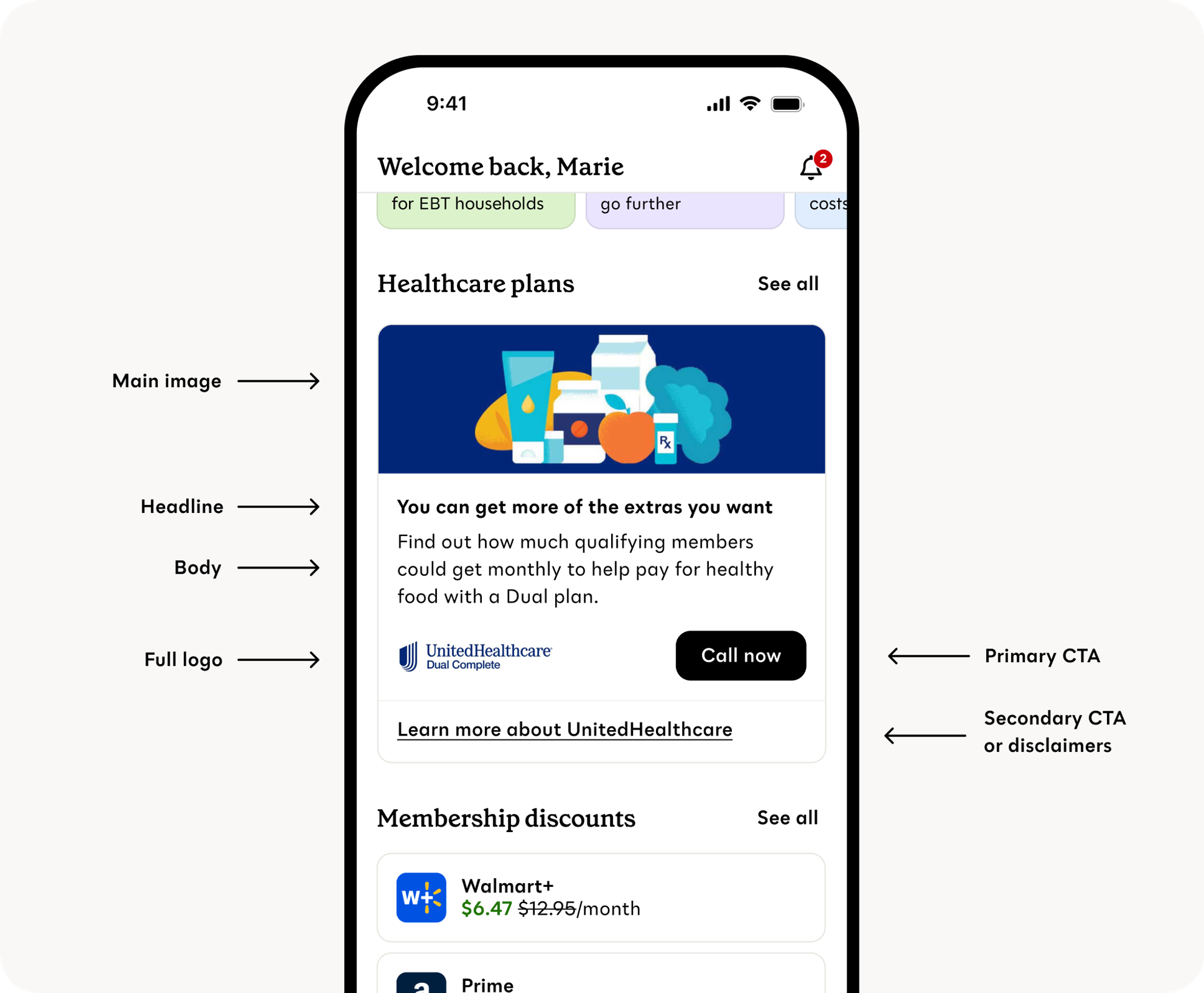
| Section | Constraints |
|---|---|
| Headline | Character limit: 45, including spacing. Note: no periods in header copy |
| Body | Character limit: 105 (three lines max), including spacing. Note: Parallel structure for bullet points, no punctuation. |
| Primary CTA | 1-2 word max. I.e. Learn more, Apply now, Get started etc. |
| Full Logo | Image size: 315 x 102 |
| Main Image | Image size: 900 x 300 px. Image cannot have text in it |
| Secondary CTA or Disclaimers | Secondary link or an expandable disclaimer text section (Optional) |
Content Guidelines
We take brand voice, tone, and content guidelines seriously at Propel. For a full, in-depth resource, visit brand.propel.app.
Core principles
Propel's voice is supportive, confident, clear, and real. We speak directly to users with active, encouraging language while staying grounded in facts. We're straightforward without being curt, confident without being aggressive, and conversational without trying too hard to be cool.
Content
Address users directly with "you" and "your." Use contractions that feel natural. Focus on solutions and what users gain. Lead with user value—why does this matter and what do they get?
Avoid exclamation points, jargon, overly formal business-speak, and slang. Don't use first-person pronouns (we/our). Check that copy reads at a 6th-grade level with only one possible interpretation.
Formatting
Use sentence case, numerals (not spelled-out numbers), and MM/DD dates to save space. For buttons, start with verbs and keep to 2-3 words max. Use periods for multiple sentences and body copy, but skip them in labels, toasts, and single-sentence dialogs.